Hi,
Who doesn't like google earth? It is revolutionary in its design. You can travel anywhere that has been mapped. It gives the viewer a perception of what different areas might be like. Students are interested in looking at their own houses. Google earth certainly fits in with connectivism theories of learning. It is very authentic and very interactive.
A broader use of google earth with implications for SOSE would be to look at cities or towns and contrast certain elements of them. For example types of buildings, amount of traffic, park lands, etc. Geography cetainly could look at different terrain which can be examined and later researched. Also historical sites can be viewed. It can be used with numeracy intent for example measuring distances between points, looking for shorter or longer routes. Literacy can be incorporated when students look at directions and instructions.
It is possible to create your own maps and overlay projects with photos and images. Narration can be added to your own project. Maps can be embedded into blogs and websites. Google earth can be used as a site for investigating oil spills.
View Larger Map
Karen.
Google earth. Retreived from http://earth.google.com
Thursday, August 19, 2010

Wednesday, August 18, 2010
Animations and Simulations



Hi,
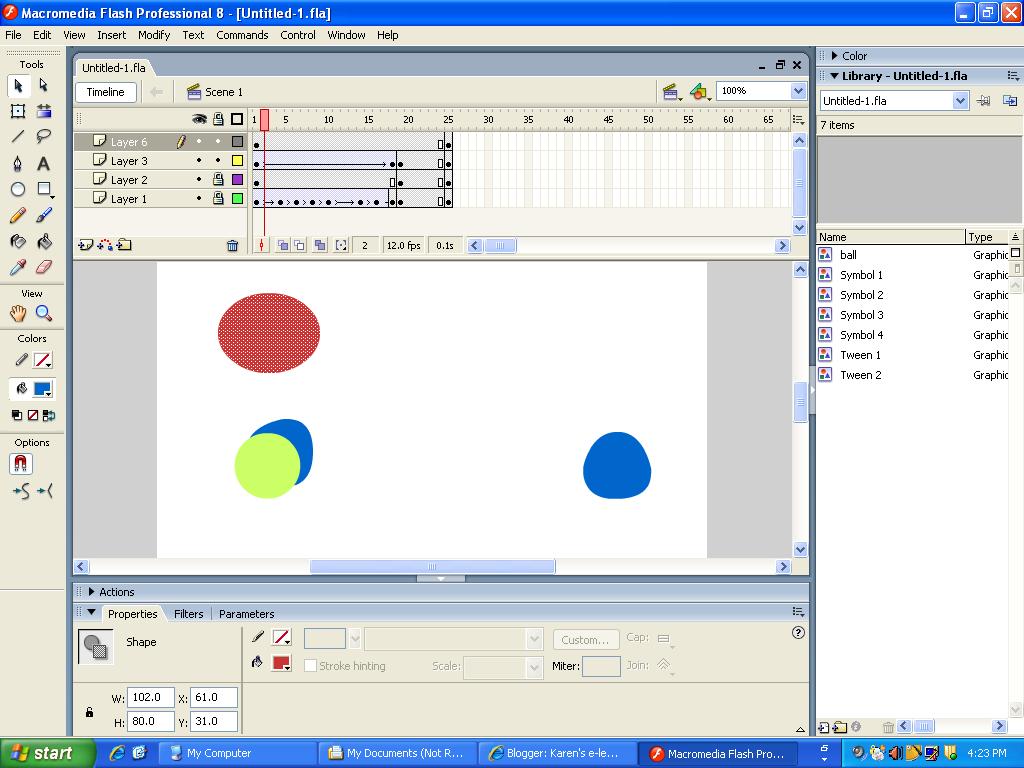
Adobe Flash is a useful tool to teach students as they can create moving books, create simple or complicated advertisements and other moving creations. At our school teaches students about "Flash" in all grades 8-12. Students find it engaging and those who master it create very interesting work.
An interactive learning objects is another tool that teachers can use to increase student engagement in learning. Students gain learning through experimenting with the interactive material on the site. It might be a game that is played to make an educational point as in "Darfur is Dying" or dissecting animals for science in "Dissect a frog". The importance of teaching with connections to technology needs to be carefully thought through to make meaning of the use of technology back to the lesson focus.
The advantage with these systems is that they allow for manipulation of the image from different angles. This allows students to see the bigger picture not just 2D.
"Wiley (2000) posited and presented three components of a successful learning object implementation: an instructional design theory, a learning object taxonomy, and “prescriptive linking material” that connects the instructional design theory to the taxonomy, providing guidance of the type “for this type of learning goal, use this type of learning object.” In addition to providing a worked example of this process, Wiley (2000) also presented design guidelines for the five learning object types." (Wiley, 2000, p. 28).
Karen.
Wiley, D. A. (2000). Connecting learning objects to instructional design theory:
A definition, a metaphor, and a taxonomy. Retrieved from http://www.reusability.org/read/chapters/wiley.doc
Friday, August 13, 2010
Tutoring online
Hi,
Tutoring online is of interest to the Learning Place who hold many interesting and engaging tools for students to try.
Tutoring online has advantages over face to face tutoring. Instruction on the computer may involve webcams and other apparatus to get started. Online tutoring is more flexible for students to access as the program has been prerecorded. Students need to log on to pick up from where they were or to revise old work. Materials covered may not be aligned to school work but are fully supported by information to allow learning gains for students. Students will need to have access to computers that support the programs that the tutoring is designed to allow access. Tutoring online is successful in the areas of supported learning. Tutors who design these pages and programs are competent in scaffolding, summarising, giving feedback, classifying participant knowledge, correcting faulty information and limiting discussions. Students may miss the face to face concept as they can not read facial expressions or body language while engaged with a computer.

Maths online is a good tool as it contains video and audio lessons that demonstrate the steps and concepts of maths in a variety of ways. Every lesson has a worksheet for students to practice skills. answers are submitted on line and the work is immediately checked and scored. Work solutions are supplied for every question. the school in which I work use this program as a home tutor for students to reinforce what they have been taught in the lesson.
Karen.
Wkipedia. (2010). Online Tutoring. Retrieved from http://en.wikipedia.org/wiki/Online_tutoring
Maths Online Pty. Ltd. (n.d.). Maths Online. Retrieved from http://mathsonline.com.au
Tutoring online is of interest to the Learning Place who hold many interesting and engaging tools for students to try.
Tutoring online has advantages over face to face tutoring. Instruction on the computer may involve webcams and other apparatus to get started. Online tutoring is more flexible for students to access as the program has been prerecorded. Students need to log on to pick up from where they were or to revise old work. Materials covered may not be aligned to school work but are fully supported by information to allow learning gains for students. Students will need to have access to computers that support the programs that the tutoring is designed to allow access. Tutoring online is successful in the areas of supported learning. Tutors who design these pages and programs are competent in scaffolding, summarising, giving feedback, classifying participant knowledge, correcting faulty information and limiting discussions. Students may miss the face to face concept as they can not read facial expressions or body language while engaged with a computer.

Maths online is a good tool as it contains video and audio lessons that demonstrate the steps and concepts of maths in a variety of ways. Every lesson has a worksheet for students to practice skills. answers are submitted on line and the work is immediately checked and scored. Work solutions are supplied for every question. the school in which I work use this program as a home tutor for students to reinforce what they have been taught in the lesson.
Karen.
Wkipedia. (2010). Online Tutoring. Retrieved from http://en.wikipedia.org/wiki/Online_tutoring
Maths Online Pty. Ltd. (n.d.). Maths Online. Retrieved from http://mathsonline.com.au
Safety online
Hi,
Schools develop procedures and guidelines for working safely online. Students learn skills and develop sensible attitudes to working on the computers. These safety measures are addressed in the Learning Essentials expectations of ICT usage. Students understand the role of some ICTs in society. They develop and apply ethical, safe and responsible practices when working with ICTs in online and stand-alone environments. Students need to apply codes and practices for secure use of ICTs. Students learn about plagiarism and digital theft and apply correct protocols when using digital information sources. Students are required to use appropriate networks, personal systems and device information. Students develop skills for leaning new ICT operations and consider different ways to perfom tasks that are appropriate.
Students are requried to sign a consent form indicating the departments use of copyright material, image, recording, names or personal information.
The department follow the guidelines set out in the National Copyright Guidelines .
The systems within schools have dangerous or intrusive sites blocked allowing no student contact with them.
Karen.
Schools develop procedures and guidelines for working safely online. Students learn skills and develop sensible attitudes to working on the computers. These safety measures are addressed in the Learning Essentials expectations of ICT usage. Students understand the role of some ICTs in society. They develop and apply ethical, safe and responsible practices when working with ICTs in online and stand-alone environments. Students need to apply codes and practices for secure use of ICTs. Students learn about plagiarism and digital theft and apply correct protocols when using digital information sources. Students are required to use appropriate networks, personal systems and device information. Students develop skills for leaning new ICT operations and consider different ways to perfom tasks that are appropriate.
Students are requried to sign a consent form indicating the departments use of copyright material, image, recording, names or personal information.
The department follow the guidelines set out in the National Copyright Guidelines .
The systems within schools have dangerous or intrusive sites blocked allowing no student contact with them.
Karen.
Virtual Worlds

Hi,
The emergence of virtual worlds is viewed as a teaching strategy in terms of social practices, subjectivity and identity for students. Marsh (2009) reports that studies identified that children gained a range of benefits through the use of technologies for example technical and operation skills, knowledge and understanding of the world and subject specific knowledge in areas such as literacy and mathematics. Through the engagement in virtual worlds there are rules to follow and lessons about internet safety and chatting on line for young gamers. A popular one is Club Penguin for young children (Marsh, 2009).
Karen
Marsh, J. (2009). Young children’s play in online virtual worlds. Journal of early childhood research. Vol 8(1) 2339 [ISSN 1476-718X DOI:10.1177/1476718X09345406] Retrieved from http://www.sagepub.co.uk/journalsPermissions.nav
Online quizzes

Online quizzes are very exciting for students to participate in and connects with the behaviourist theory of learning. Students are immediately rewarded for working out the correct answer and are able to return to have another chance. Advantages of online questionnaires and quizzes is that students are able to receive instant feedback on the correctedness of their answers. It is a cheap method to administer. The data can be analysised as it is usually stored in one database. The disadvantages are that not everyone has internet access. They are directed to the younger person. There are lots of different formats and time limits applied to questionnaires. The learning place has many online quizzes and questionnaires for students to do. Some quizzes come in the form of games. Many games are useful for students to engage in as they are incidently learning as they play. Students will revisit games to improve previous scores or to bet someone elses score.
An example of an online google earth quiz. This outlines the use of google earth.
Karen.
Wiki. (2010). Online Questionnaires. Retrieved from http://en.wikipedia.org/wiki/Online_questionnaires
The State of Queensland (Department of Education and Training). (2010). Learning place. http://education.qld.gov.au/learningplace/onlinelearning/index.html
Friday, August 6, 2010
Learning Management Systems
Learning Management Systems contain the following functions
record learners and results
application and exams
allow access to course materials
tracks activities of users
ensures communication interface
increase studetn activity
supports teach evaluation
self evaluation
arrangement of web-lectures and web-seminars
supports work groups
ensure collaborative surface
Karen.
Bessenyei, I. (2008). Learning and teaching in the information society. Elearning 2.0and connectivism. Retrieved from http://www.ris.uvt.ro/wp-content/uploads/2009/01/ibesseneyi.pdf
record learners and results
application and exams
allow access to course materials
tracks activities of users
ensures communication interface
increase studetn activity
supports teach evaluation
self evaluation
arrangement of web-lectures and web-seminars
supports work groups
ensure collaborative surface
Karen.
Bessenyei, I. (2008). Learning and teaching in the information society. Elearning 2.0and connectivism. Retrieved from http://www.ris.uvt.ro/wp-content/uploads/2009/01/ibesseneyi.pdf
Subscribe to:
Posts (Atom)